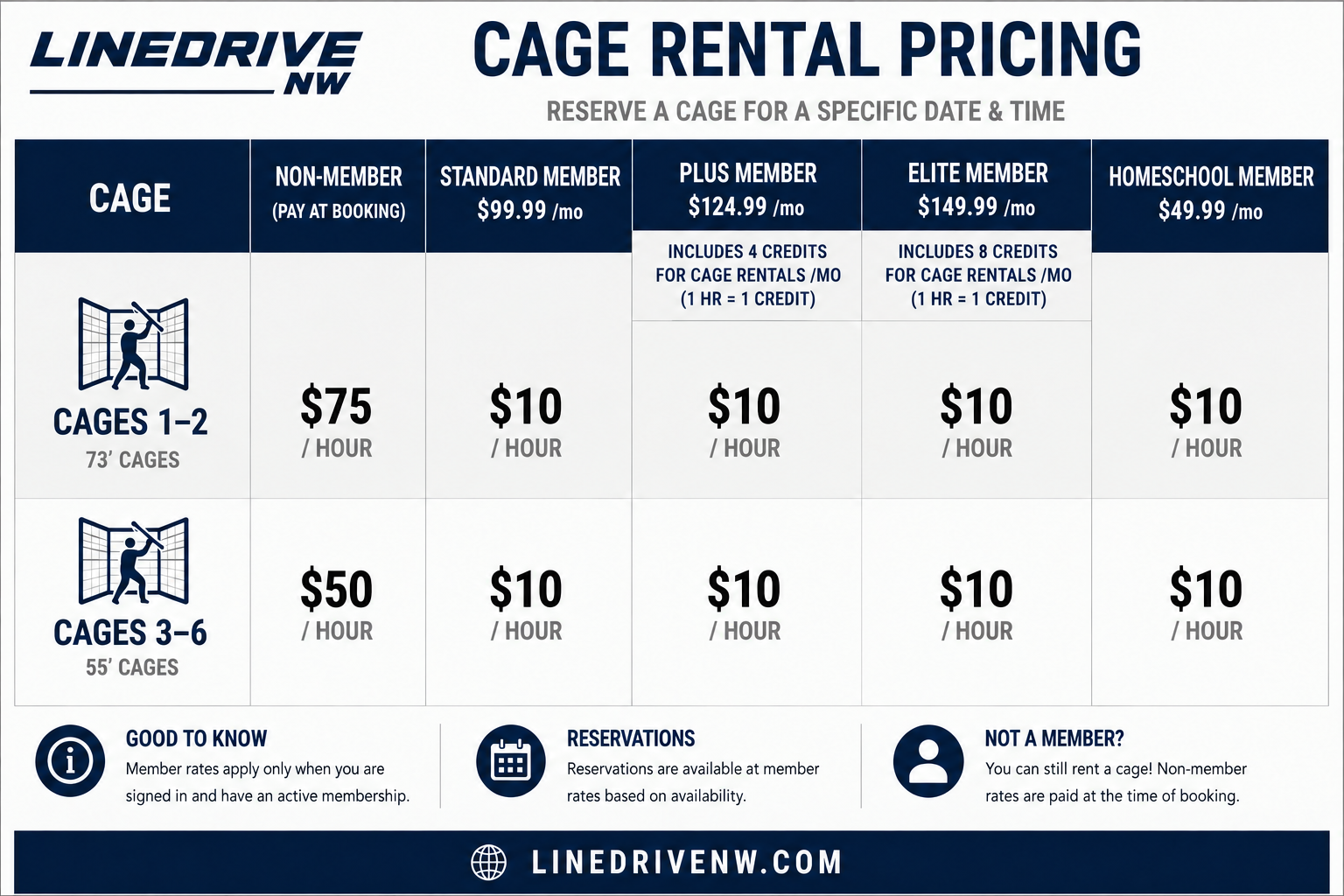
Members & Non-Members Can Now Book Cages!
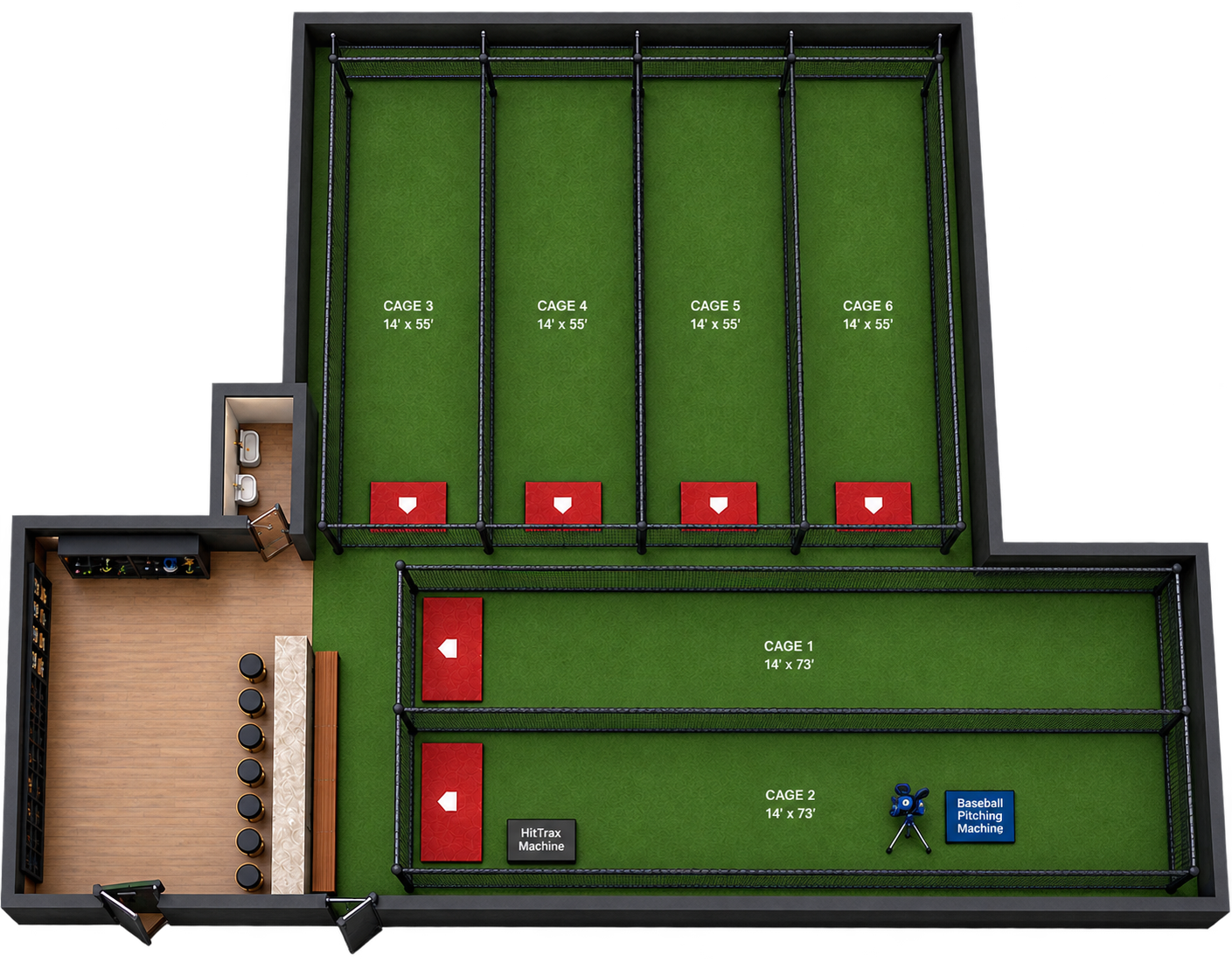
Need a specific cage or want to make sure you have a cage waiting for you? Anyone can reserve a cage online! Choose your date, time, and cage, then book online to guarantee your spot. Cage 2 is where you will find both the HitTrax Machine and the one baseball pitching machine. The baseball pitching machine is usually too heavy to move to another cage. Cages 3 and 1 are where the softball pitching machines are usually kept, but you may move them to another cage if you would like.
Need to Cancel or Change Your Reservation?
No problem! You can cancel or modify your cage reservation by clicking ‘Login’, find your initials in the top right corner of the screen, go to ‘My Account’ and scroll over to ‘Activities’. There you’ll be able to see and manage all of your cage reservations in one space.
As long as your reservation is cancelled or modified at least 24 hours before your rental, you’ll automatically receive a full refund of any payment or rental credits used. No refunds will be issued for cancellations or modifications within 24 hours of the cage rental time.
Booking as a Non-Member?
No problem! If you're booking a cage as a non-member, once you've checked out and have rented your cage, you will receive an email from ProDataKey with instructions to download and activate the ProData Key (PDK) app. PDK is the company we use for facility access.
Simply follow the prompts in the email to get your account activated and download the app.
Once your app is set up:
You can access the facility for your rental time! Your access will be active from 15min before your rental time to 15 min after your rental time. For example: You book a cage from 6-7pm, your PDK access will unlock the doors to the facility from 5:45pm-7:15pm on the day of your rental only.
When you arrive, hold your phone up to the door reader on either entrance door — and the door will unlock!
Even better, your phone does NOT need to be unlocked. As long as the PDK app is open or running in the background, you should be able to simply tap/wave your phone near the reader to gain access. For more instructions on what to do when you arrive, what equipment is available to use and more- follow the instructions in our ‘How Does it Work?’ section.